On This Page
Generate a Google reCAPTCHA Site Key and Secret Key
The Google reCAPTCHA site and secret keys allow you to
safely process Google Pay payments. These keys protect your website when your customers
using Google Pay to make payments.
- Go to the Google reCAPTCHA website and select theAdmin Consolelink.
- Select and enter this information to register a new site:
ADDITIONAL INFORMATION
- Enter a label that will be used to identify the site.
- Select the Score based (v3) option for the reCAPTCHA type.
- Enter the domain on which PrestaShop is hosted.
- Enter the email address of the website owner.
- Select the checkbox to accept the terms of service and clickSubmit.
Step Result
The reCAPTCHA site key and secret key are generated. - Open PrestaShop Back Office and selectModules > Module Managerfrom the Dashboard. The Module Manager page displays.
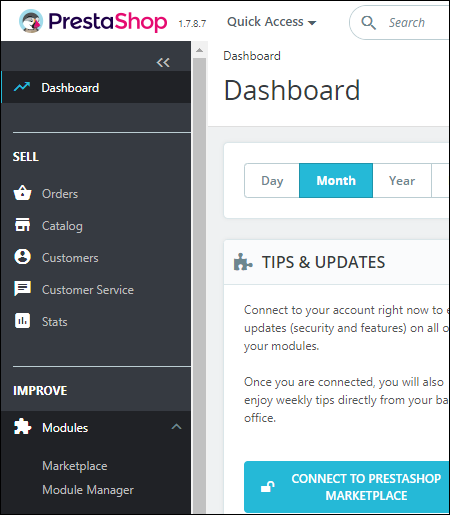
- Locate the plug-in in thePaymentsection on the Module Manager page or enter “CybersourceOfficial” in theSearchfield and clickEnter.

- ClickConfigure. The ConfigureCybersourceOfficial page displays.
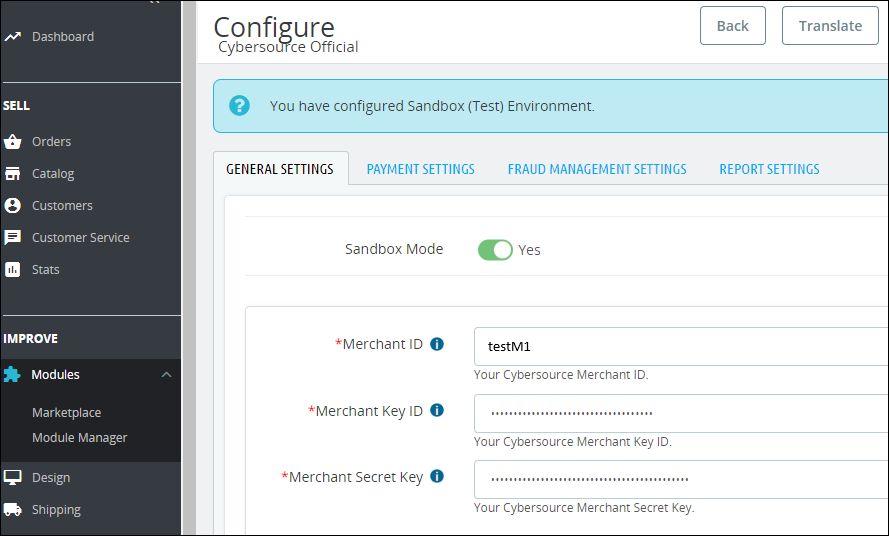
- Select theFRAUD MANAGEMENT SETTINGStab and enter the keys in the Google reCAPTCHA section of the tab.