On This Page
Translate Order Status Messages
The
Cybersource
Official Plug-In enables you to add order status
messages in different languages to the PrestaShop.- Open PrestaShop Back Office and selectShop Parameters > Order Settingsfrom the Dashboard. The Order Settings page displays.

- Click theStatusestab. The Statuses page displays and lists the order status messages.
- ClickEditfor the status message you want to translate. The Edit: status message page displays.
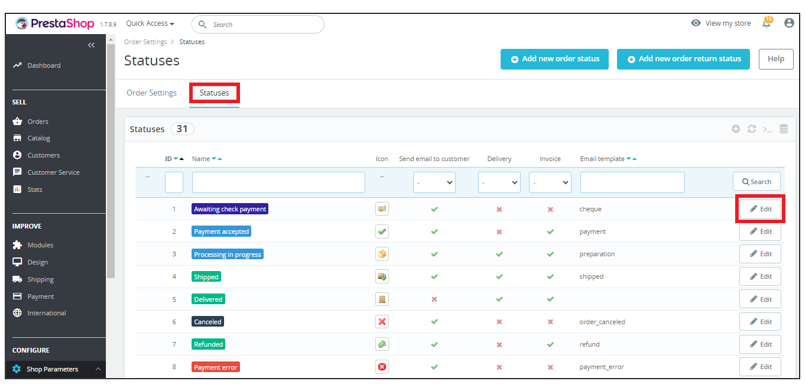
- Choose the language you want to use for the message from the language drop-down menu in the Status name field.

- Add the translated text in the Status name field.

- Repeat steps 3 through 5 for all the messages you want to translate and clickSaveto save the translated messages.