On This Page
Translate Order Management Messages
The
Cybersource
Official Plug-In enables you to add order
management system messages in different languages to the PrestaShop.- Open PrestaShop Back Office and selectInternational > Translationsfrom the Dashboard. The Translations page displays.

- Choose the language you are currently using from the language drop-down menu in the Add/Update a language section of the page.
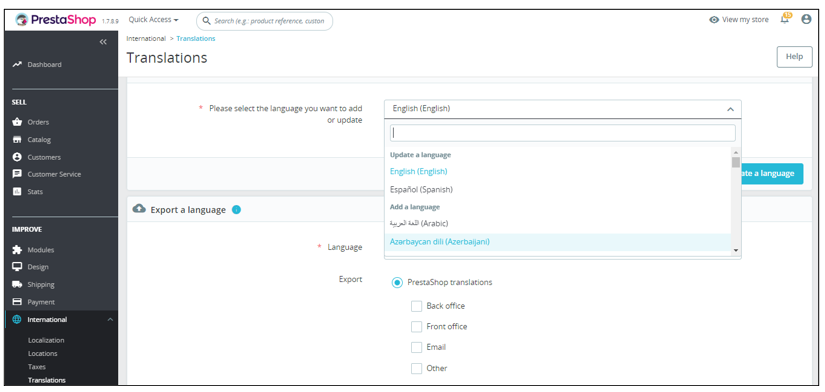
- ClickAdd/Updatea language.
- In theModify translations > Type of translationsection of the page:
ADDITIONAL INFORMATION
- ChooseInstalled module translationsfrom the Type of translation drop-down menu.
- Choosefrom the Select your Add-on drop-down menu.CybersourceOfficial
- Choose the language you want the plug-in to use from the Select your language drop-down menu.
- ClickModify.

ADDITIONAL INFORMATION
The page changes to display the messages for which can enter translated messages.
- In the Module:CybersourceOfficial section of the page, add the translated messages in the respective message fields.

- ClickSaveto save the translated messages.