On This Page
Upgrade the Plug-In
You can install a newer version of the
Cybersource
Official Plug-In
using PrestaShop Back Office. - Open PrestaShop Back Office and selectImprove > Modules > Module Managerfrom the Dashboard.

- Click the up arrow next to theCybersourceOfficial Plug-InConfigureicon and chooseUninstallfrom the drop-down menu. An Uninstall module menu displays.
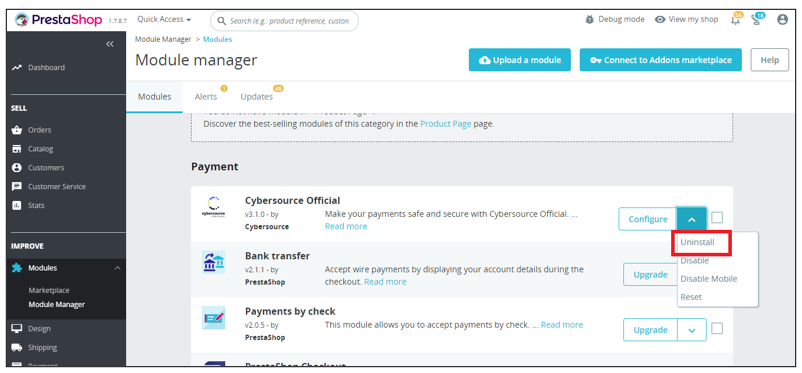
- In the Uninstall module menu, selectOptional: delete module folder after uninstalloption and clickYes, uninstall it. The plug-in is uninstalled.

- After the plug-in is uninstalled, complete the steps in Download and Install the Plug-In to install a newer version of the plug-in.