On This Page
Validate the Merchant Domain
- Log into your Apple Developer account and go to the Certificates, Identifiers & Profiles page.
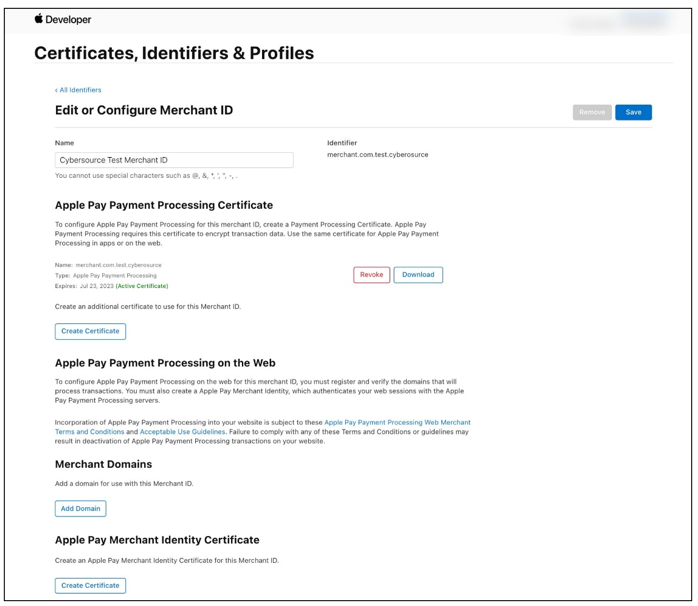
- SelectIdentifiersfrom the sidebar and select the merchant ID from the list.
- ClickAdd Domainfrom the Merchant Domains section. The Edit or Configure Merchant ID menu displays.
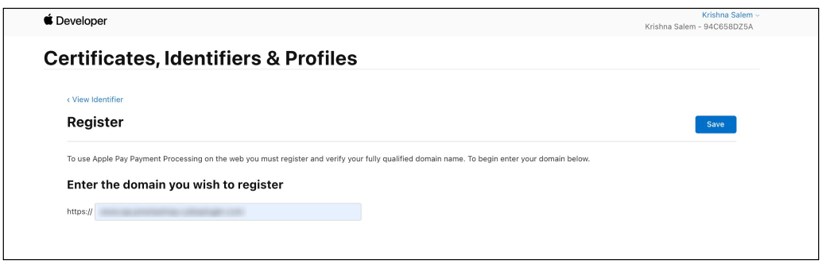
- Enter the merchant domain in the Enter the domain you wish to register field and clickSave. The Verify menu displays.
- ClickDownloadto download the validation file to your local system.
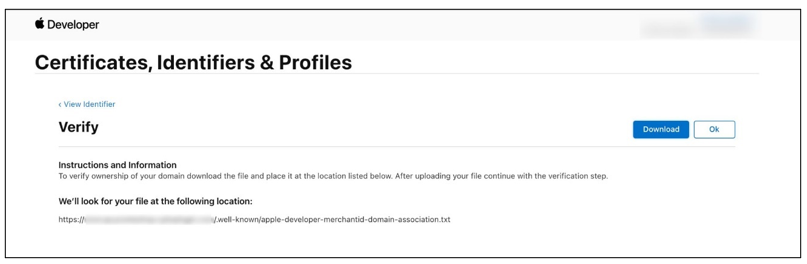
- Upload the validation file you downloaded to your local system to your merchant website root directory in the.well-knowndirectory.
- ClickOKto complete the domain validation process.