On This Page
Set Up Cron Scheduler for LINUX
- Open a LINUX terminal.
- Entercrontab-eto enter editor mode. For example:
ADDITIONAL INFORMATION
root@PrestashopQA4:/etc# crontab -eEditor mode displays and look similar to the editor mode shown in the image below.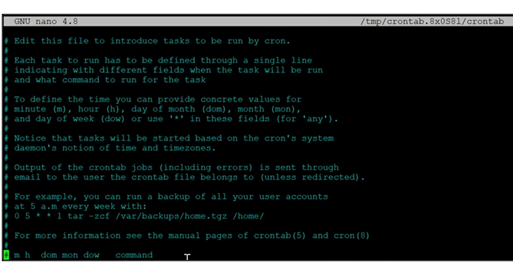
- Enter the command to set the timing for the cron job. For example, this command sets the cron job to run every 15th minute of every hour, every day, every week, and every month:
ADDITIONAL INFORMATION
15 * * * * curl https://www.dev.prestahop.cybsplugin.com/mps1760/module/mybank/paymentReport - EnterCtrl + Xto close the editor.
- Enter thecrontab -lcommand to check the scheduled cron job. For example:
ADDITIONAL INFORMATION
The scheduled cron job should display on the screen. For example:root@PrestashopQA4:/etc# crontab -l15 * * * * curl https://www.dev.prestahop.cybsplugin.com/mps1760/module/mybank/paymentReport