On This Page
Download and Install the Plug-In
Before you install the
Cybersource
Official
Plug-In, make sure you have:- ACybersourceevaluation account (go to the Business Center Registration website)
- CybersourceREST API key/certificate (seeGetting Started with the REST API Developer Guide)
- Download the plug-in from the PrestaShop webiste (PrestaShop Modules > Payments > Other Payments >CybersourceOfficial) to your local system.
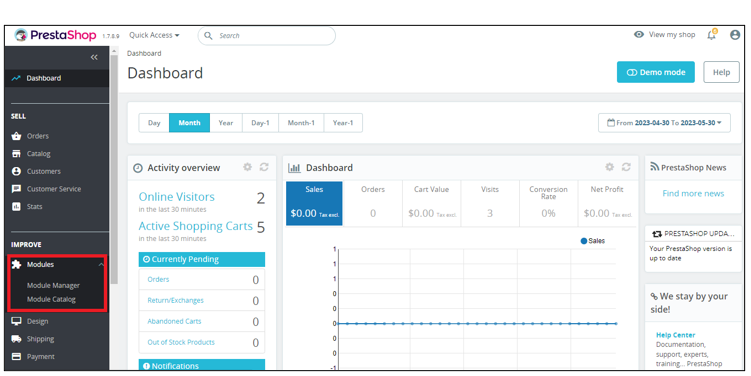
- Open PrestaShop Back Office and selectModules > Module Managerfrom the Dashboard. The Module Manager page displays.
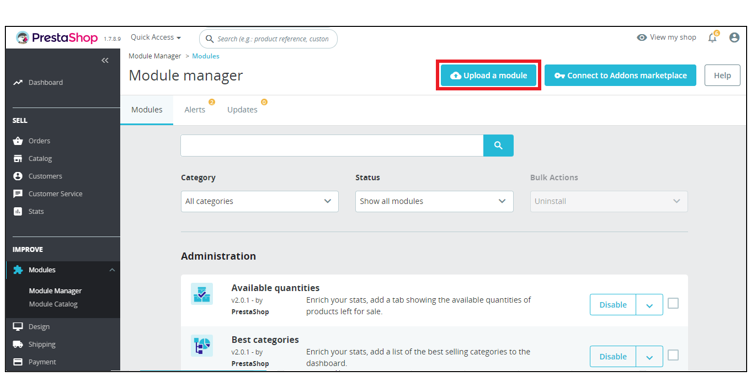
- ClickUpload a Moduleon the Module Manager page. The Upload a module menu displays.
- Clickselect filelink from the Upload a module menu and go to and select the plug-in you downloaded to your local system. You can also drag and drop the file on the Upload a module menu.
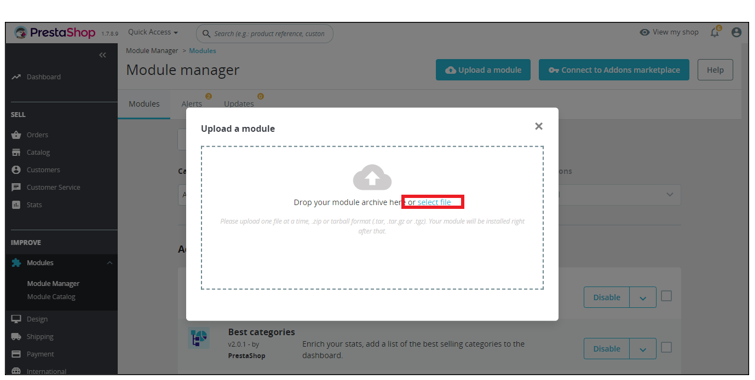
Step Result
The menu displays the status of the installation. After the plug-in is installed, the menu indicates that the module is installed, and you can close the menu or clickConfigureto configure the plug-in.