On This Page
Enforce Strong Customer Authentication
Select the Enforce Strong Customer Authentication setting to prompt a 3-D Secure
(3DS) challenge when a customer saves their credit card information. The customer is 3DS
challenged when a transaction is declined as reported by response code 478 (Strong
Customer Authentication required). After the transaction is declined, another request is
sent for the same order.
The Enforce Strong Customer Authentication setting is only
available when the Payer Authentication/3D Secure (general Plugin setting) and
Tokenization (fraud management Plugin setting) are enabled. See Configuration Settings for information about these
settings and Configure Plugin Settings for information about how
to set them.
Follow these steps to enable Enforce Strong Customer Authentication:
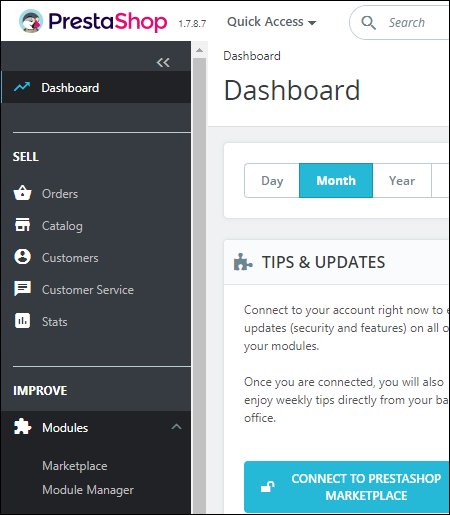
- Open PrestaShop Back Office and selectModules > Module Managerfrom the Dashboard. The Module Manager page displays:
- Locate the Plugin in thePaymentsection on the Module Manager page or enter “CybersourceOfficial” in theSearchfield and clickEnter.

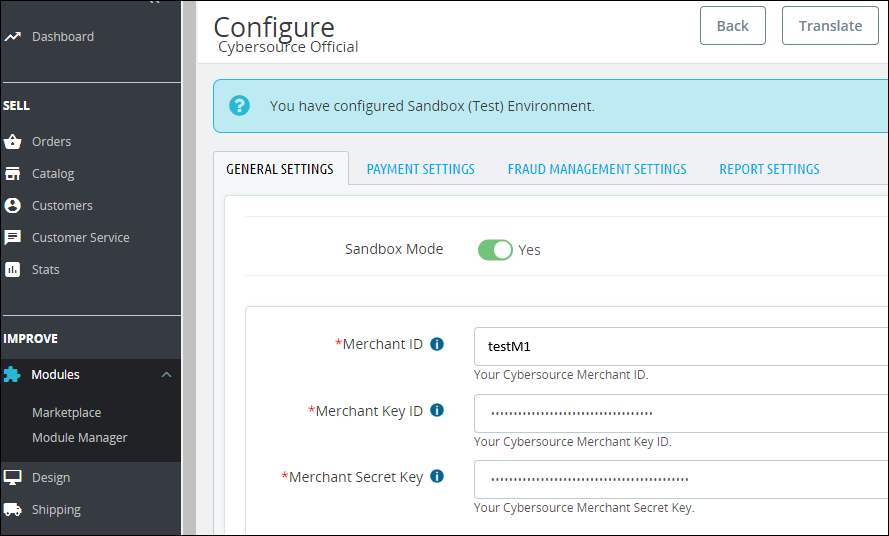
- ClickConfigure. The ConfigureCybersourceOfficial page displays:
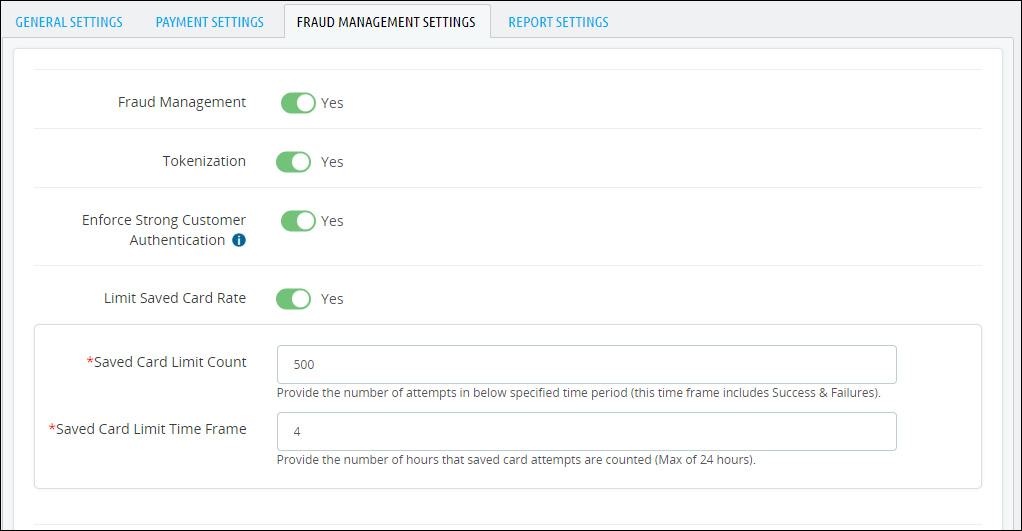
- Select theFRAUD MANAGEMENT SETTINGStab.
- Set the Enforce Strong Customer Authentication setting toYes.
- ClickSaveto save the configuration settings.