On This Page
FILTER BY TAG
Going Live
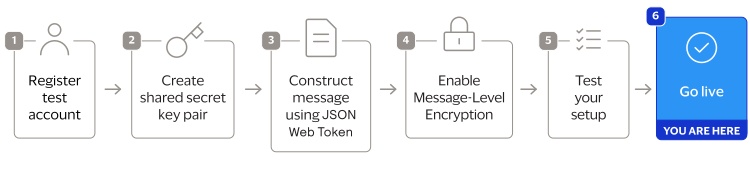
When you are ready to process payments in a live environment, you must
transition your account to the live status with a valid configuration for your chosen
payment processor. When your account is live, your transaction data flows through the
production
Cybersource
gateway, to your processor, and on to the
appropriate payment network.To transition your account:
- Sign up for a merchant account.
- to establish a contract withCybersourcethat enables you to process real transactions and receive support.
- Submit a merchant ID (MID) activation request.
It can take up to three business days for the MID to become active.
Create a Merchant ID
The merchant ID (MID) identifies you and your transactions, which requires
you to include it in each transaction request. When you signed up for a sandbox account,
you received a merchant ID for testing purposes. If you choose, you can use that
merchant ID as your production ID.
Follow these steps to sign up for a merchant account in order to create a production MID:
- Go to theBusiness CenterSandbox Account Sign Up page, enter the required information, and clickCreate Account.Choose your merchant ID name. It cannot be changed. This name is not visible to your customers.
- Review your information entered, especially your business email address. Your merchant ID registration information will be sent to the email entered on this form.
- Look for an email from customer support titled:.CybersourceMerchant Evaluation AccountThis email contains your organization ID and contact email associated with your MID.
- Look for an email titled:Merchant Registration Details. Click theSet up your username and password nowlink.Your browser opens the New User Sign Up wizard.
- Enter the organization ID and contact email you supplied previously. Follow the wizard pages to add your name, a username, and password.
- Log in to theBusiness Center.When you log in for the first time, you will be asked to identify yourself through a system-generated email that is sent to your email account.
- Look for an email titled:. Save the passcode in the email.CybersourceIdentification Code
- Enter the passcode on the Verify your Identity page. You are directed to theBusiness Centerhome page.
You have successfully created a merchant ID and merchant account.
Activate Your Merchant ID
The activation process, also known as
going live
, transitions your
MID and account from test status to live status, enabling you to process real
transactions in production. It can take up to three business days for the MID to become
active.To transition your account, complete these steps:
- Sign in to the Support Center as an administrator.
- Enter your credentials and log in to your test environment. The organization ID is your MID.
- In theBusiness Center, go toSupport Cases > MID Configuration Request. The MID Configuration Request page should be open.
- ClickMID Activation.
- In theDescriptionfield, enter the merchant ID that you want to take live.
- Choose a processor configuration, and enter the name of your processor.If you are unsure of the processor name, contact your merchant service provider or your merchant acquiring bank.
- Choose the environments to which this change applies (test or production).
- ClickService Enablementand list the products and services that you intend to use.
- ClickSubmit.
Production Endpoints
Send API requests using your production account to the production server:
https://api.cybersource.com
For example, send a live authorization request to this endpoint:
https://api.cybersource.com
/pts/v2/payments